The Stabilizer
An internal issue-tracking app that keeps customer problems at the center of Webflow's support team. Built with Webflow and syncing live with GitHub.
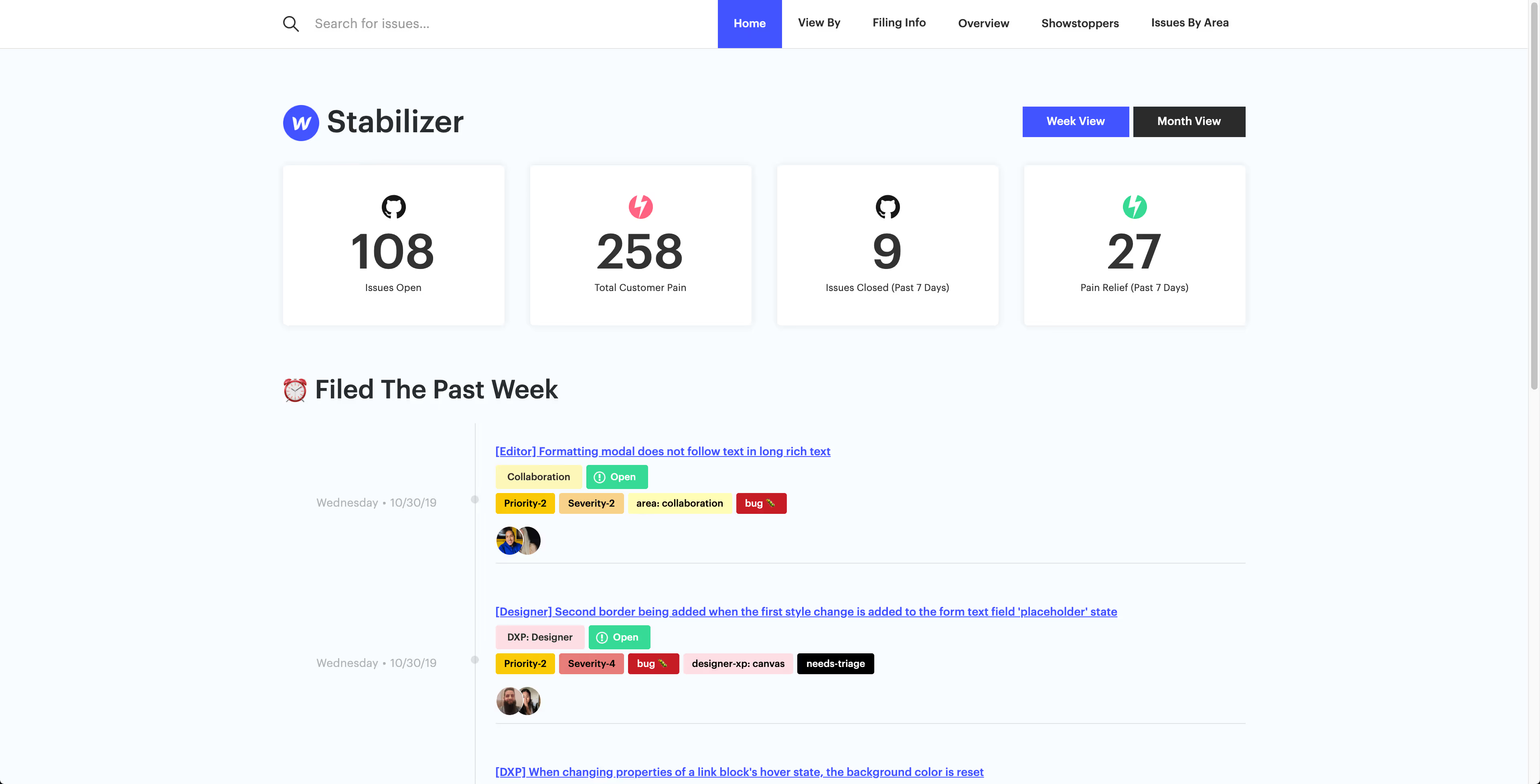
I had the privilege of working in Customer Support at Webflow, helping track the issues customers were facing.
To improve our processes (and make sure customer issues stayed at the very core and forefront of what we were doing) I built v3 of the Stabilizer App: a bug-tracking tool tailored to how a support team actually works.
GitHub wasn't built for support.
Engineering tracked everything in GitHub but that left support specialists fighting the tool to understand what customers were hitting.
- GitHub isn't good at project management, which made tracking difficult.
- It holds a lot of code and issues unrelated to customerswhich is pure noise for support specialists.
- Talking about issues pinged a lot of people, engineers, PMs, QA, when a quick aligned conversation would do.
- Prioritization was hard and ranking the what and when of which issues to address.
A visual dashboard for customer-related GitHub issues.
The solution was to build a bug-tracking app in Webflow that sits alongside GitHub rather than replacing it. It's a complicated process under the hood, so I started by sketching out the whole flow to make sure we could pull it off.
Engineers, PMs, and QA keep working in GitHub exactly as before and when they update an issue, the Stabilizer updates automatically.
The stack:
How an issue flows
GitHub and Google Sheets act as the central database; Zapier orchestrates everything in between.
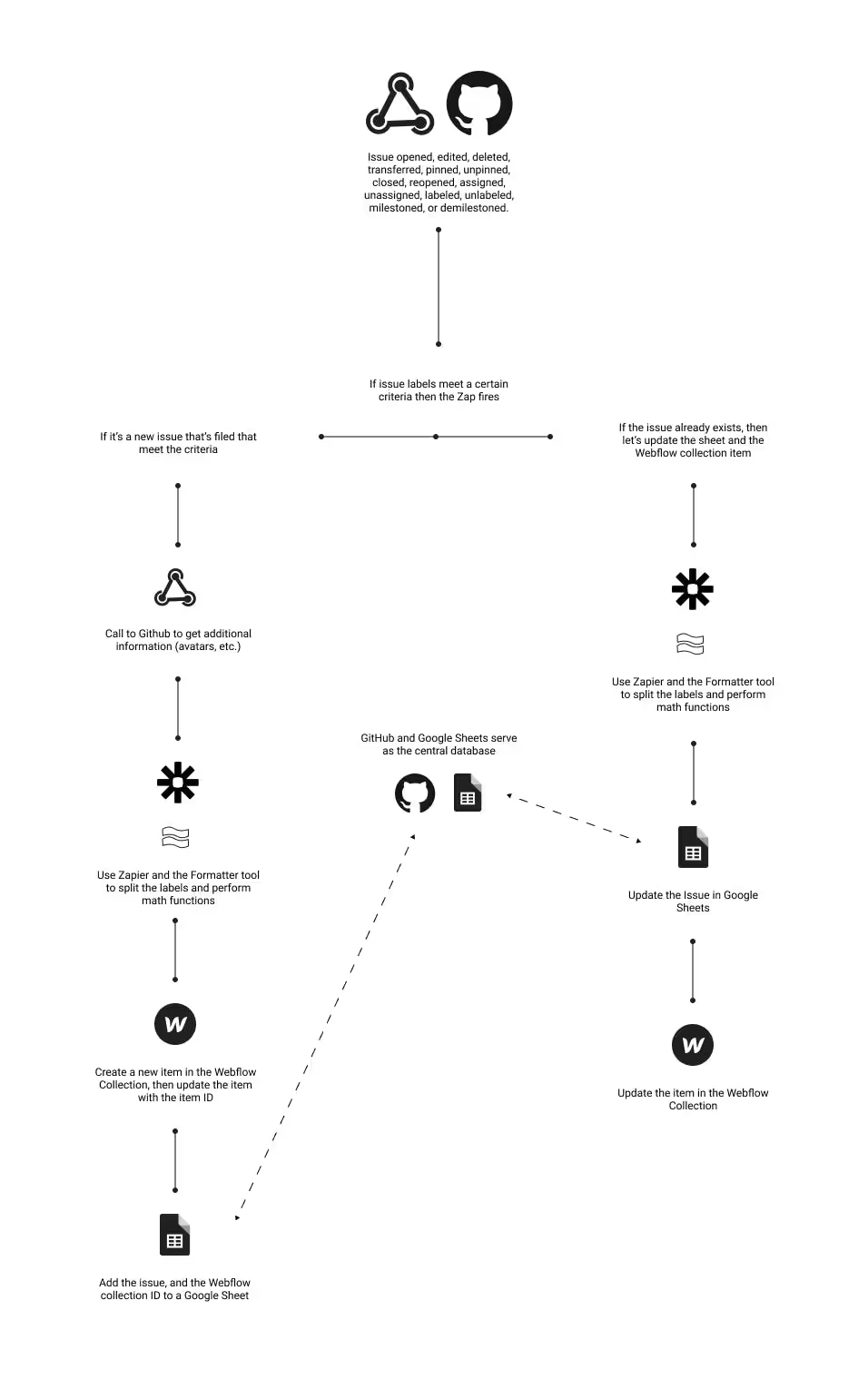
A Zap fires when an issue meets the criteria
Using the GitHub API, Zapier triggers only when labels match and at the core, we only want customer-facing issues.
New issue → create it in Webflow
Look at the labels and split the string, use Zapier math to prioritize, create a new Webflow item with the issue details, log it to a Google Sheet for tracking, then store the item ID.
Existing issue → update everywhere
Check the Google Sheet to see if the issue exists, update it there, then update the matching item in the Webflow site. Keeping all three in lockstep.
Automated weekly & monthly reports
Google Sheets does the math on how many issues closed, how they impact customers, which way things are trending and passes it back to Webflow as scheduled reports.
Support can triage & escalate
Using Webflow forms and Zapier, specialists categorize and rearrange issues. Marking one a "production fire" pings the team in Slack; copy and snippets can be added to share with customers all on the same page.
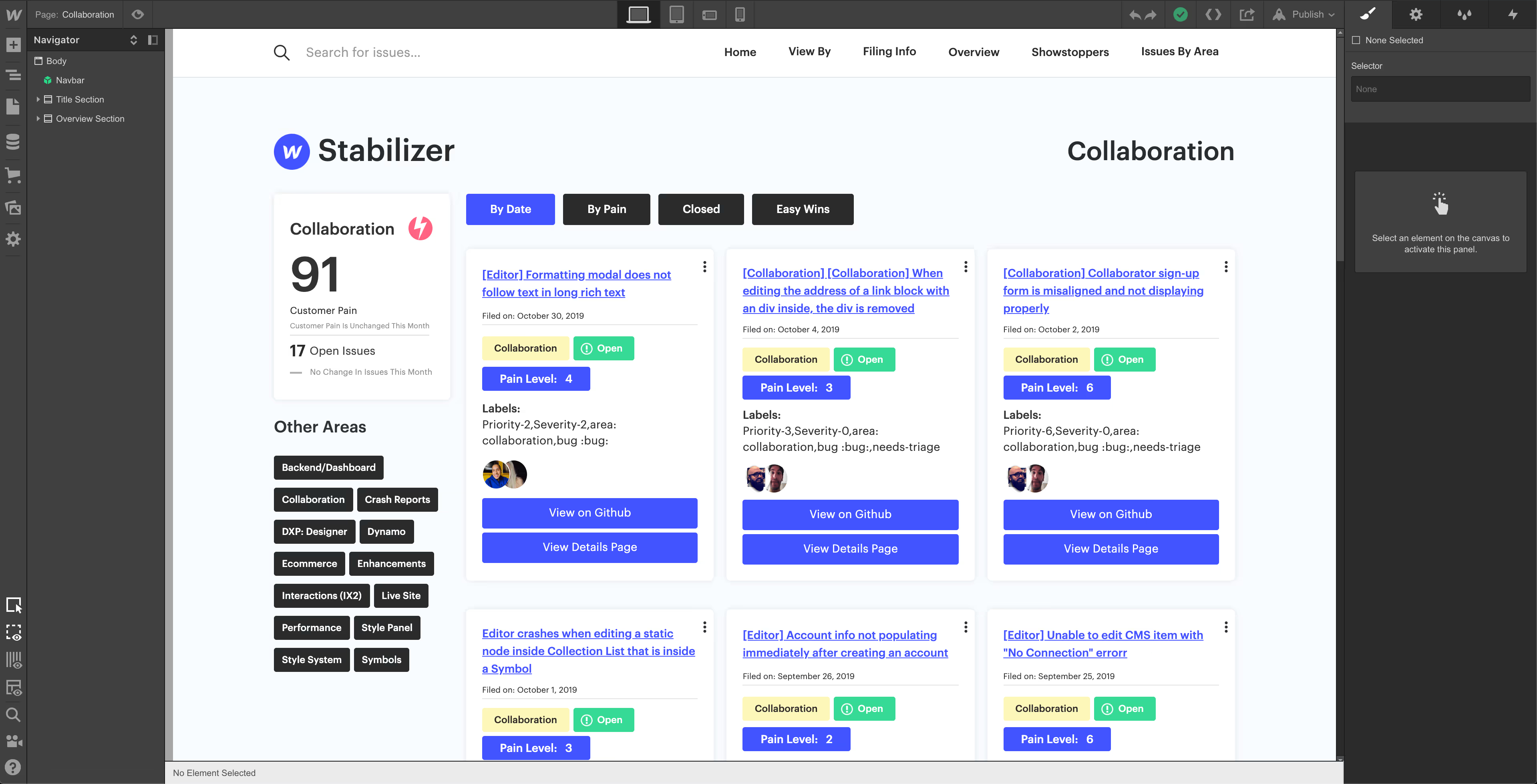
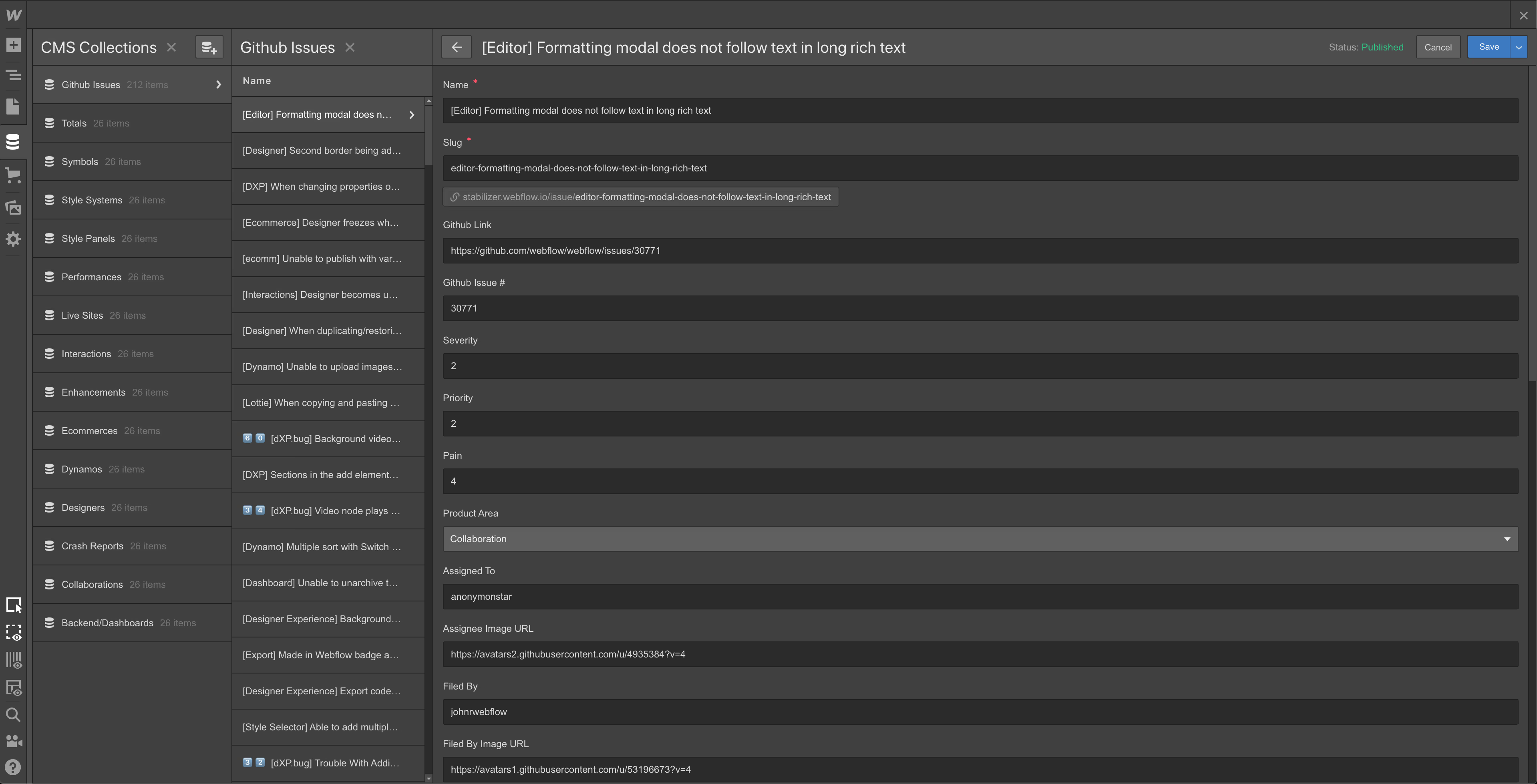
A clean, customer-first view.
The Stabilizer left the team with a really clean tool that makes it easy to track what's impacting customers while viewing by prioritization, by date, or by what's recently filed and updated. With the ability to customize views and focus only on the customer-facing things, it helps the team be more efficient and better informed.
Note: for security and privacy reasons, this internal tool can't be shared publicly — the screenshots above are representative views.